Consol
My home entertainment app. I hate the Sonos app.

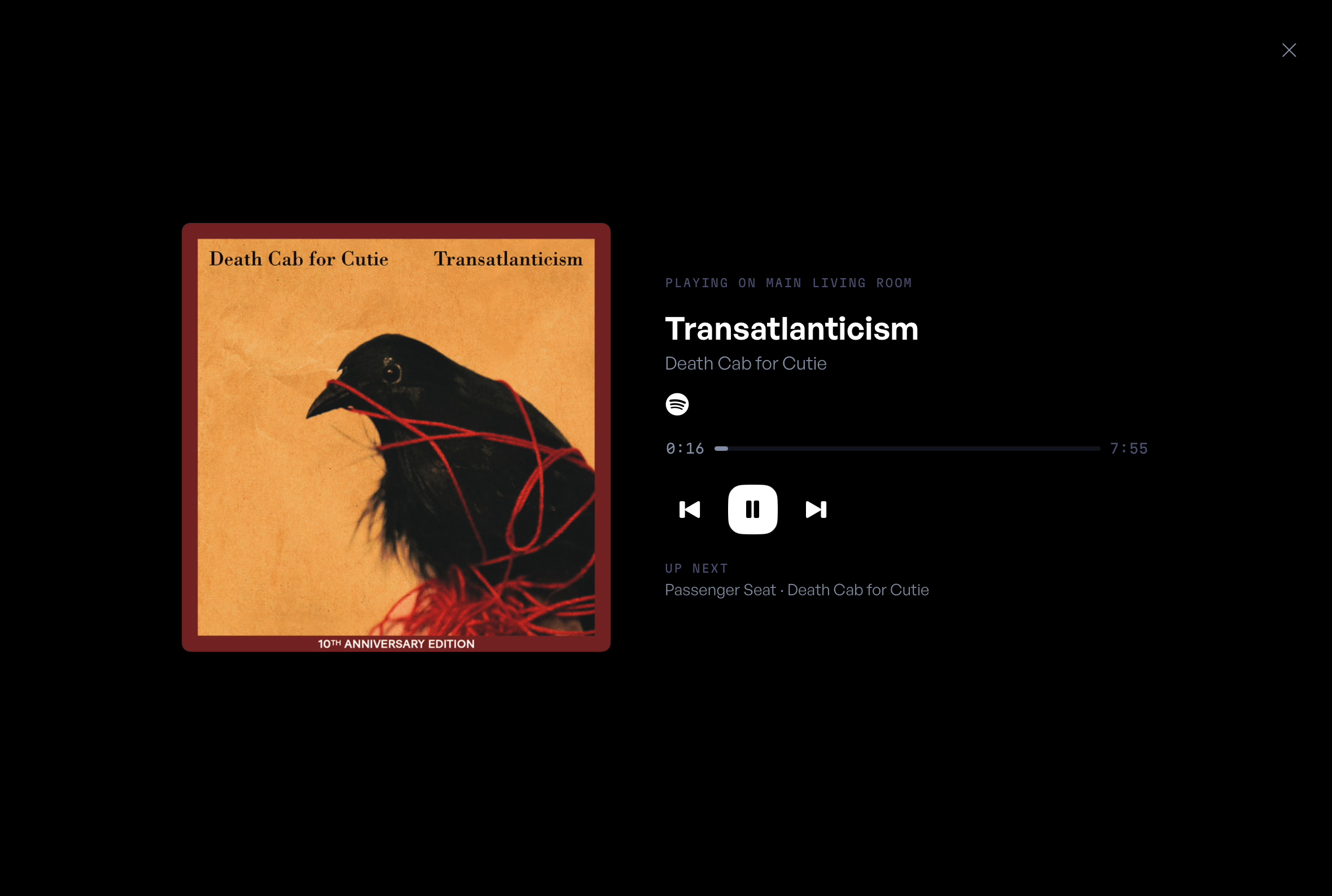
I have a love-hate relationship with Sonos. The speakers sound amazing and look great, but the app you use to control them is awful. What really gets me is how it works with third-party apps like Spotify. Personally, I'd rather control what's coming out of my speakers from the Spotify app. And before you say, "You can, you knob," well, try playing music in more than one room.
I'm constantly flipping back and forth between the two apps because I don't like the way Sonos makes you deal with Spotify. I wish Sonos was just the app that gets your speakers on the network and then hands everything over to Spotify. Or that Spotify let you group rooms right inside its own app. I'd take either one.
So out of pure frustration, I spent some time building an app I'd actually want to use. That became Consol, a simple all-in-one media controller that anyone in the house can figure out. Then I took it a few steps further and added control for our Apple TVs, so I can see what's playing on each one right from Consol.
This isn't a groundbreaking idea, and I'm sure there are better options out there, but this is what I wanted. Not you, not my neighbor, not some random person on the internet. Me.
With that said, let's take a tour of the app I know you're already calling garbage and are inevitably going to make fun of me for.
Logging in
There's no email or password. Everyone in the house gets their own four-digit PIN, and the PIN is how Consol knows who you are. Get it wrong three times and you're locked out for 30 seconds, which is probably a lot of security for an app that plays music.
The Stage
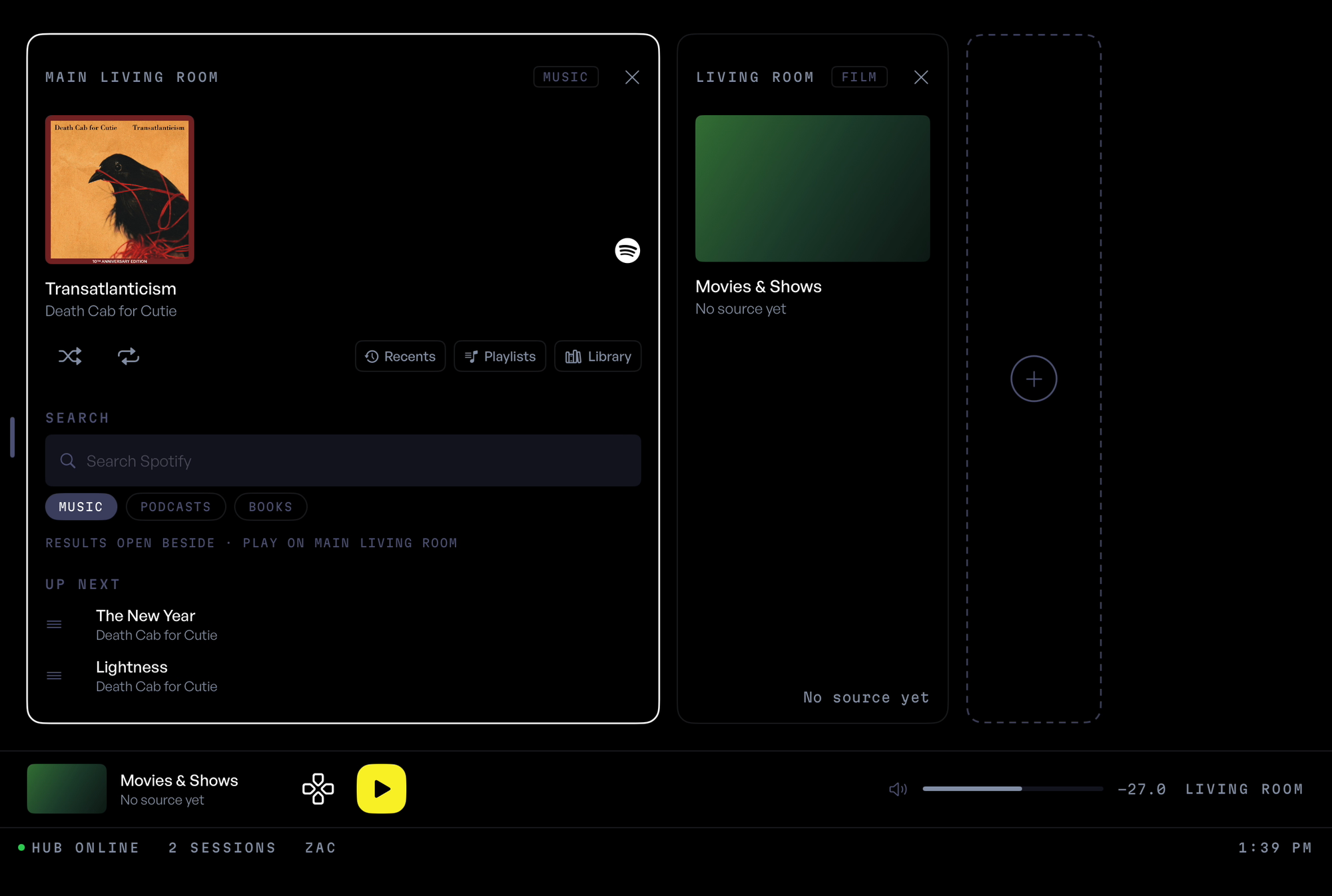
The home screen is called the stage, and every card on it is something playing somewhere. An album on the living room speakers. A show on one of the TVs. When nothing is playing, the stage is empty.
The first version looked nothing like this. It was a wall of every room in the house, each with its own controls, and it looked like a mixing board. I scrapped it. Showing only what's on was a lot easier to look at.
Starting something
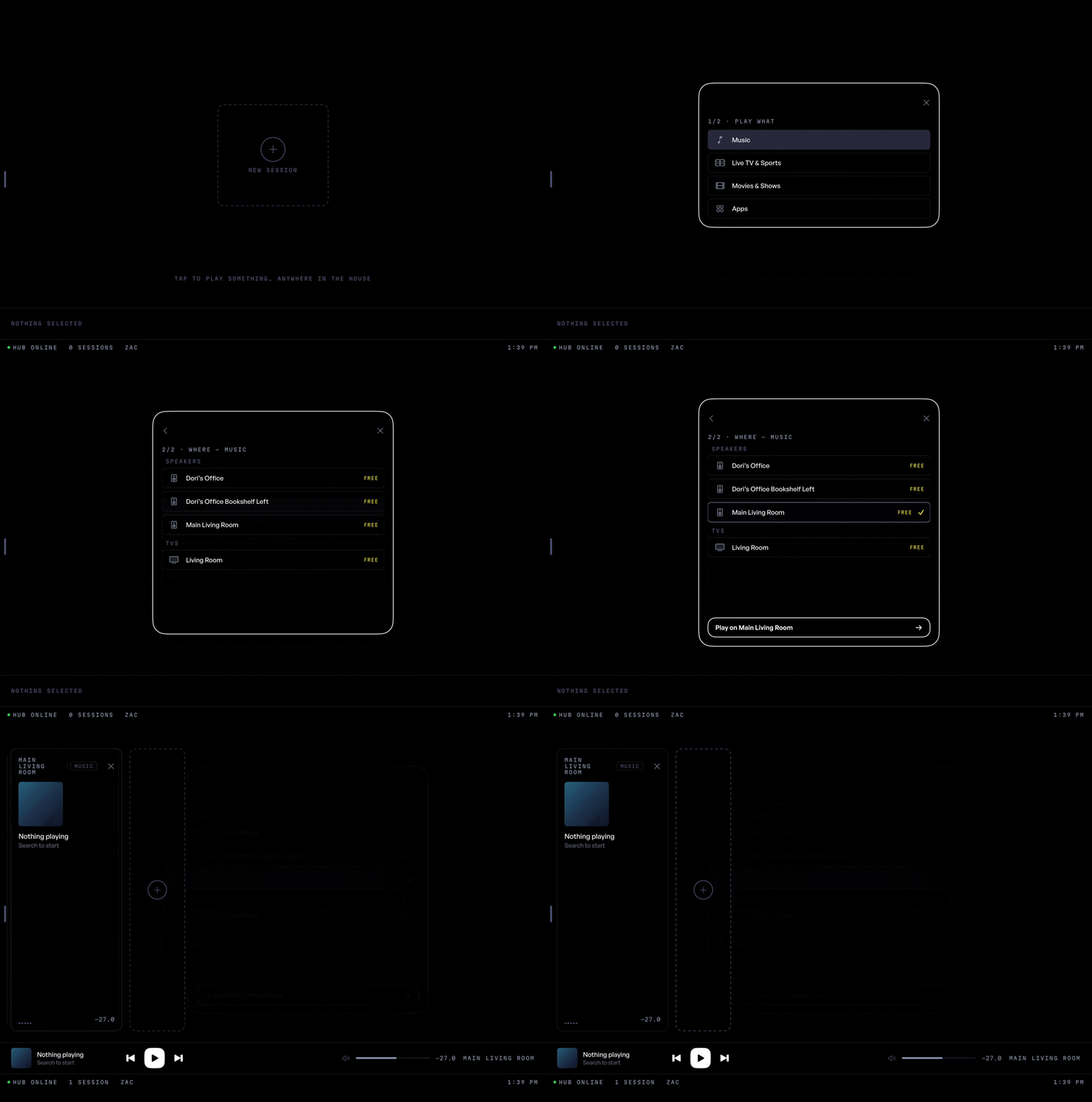
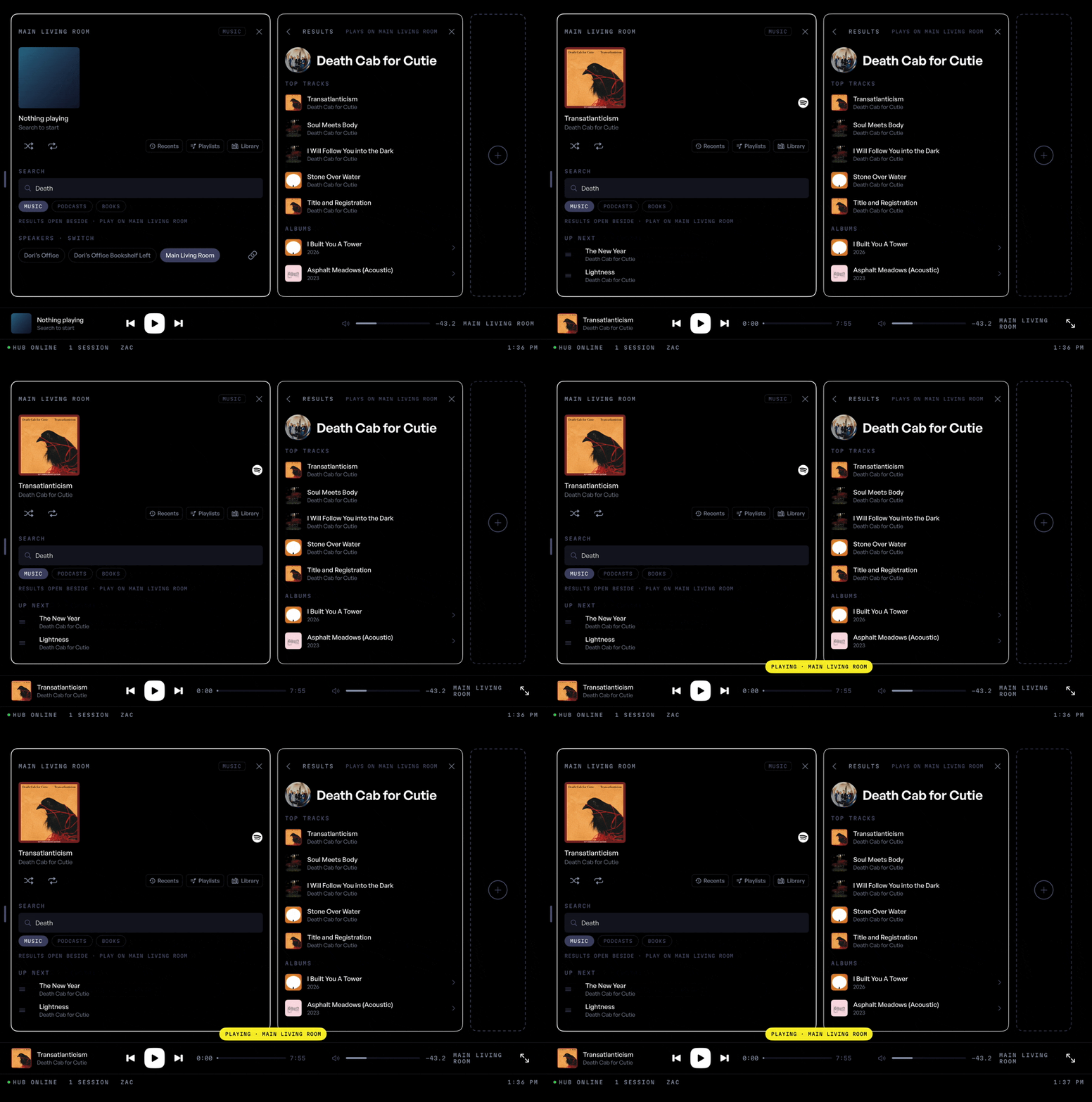
Tap the plus, pick what you want to play, then pick where it goes. Pick more than one speaker and Consol groups them and starts playing. That's the feature I built this whole app for.
Music
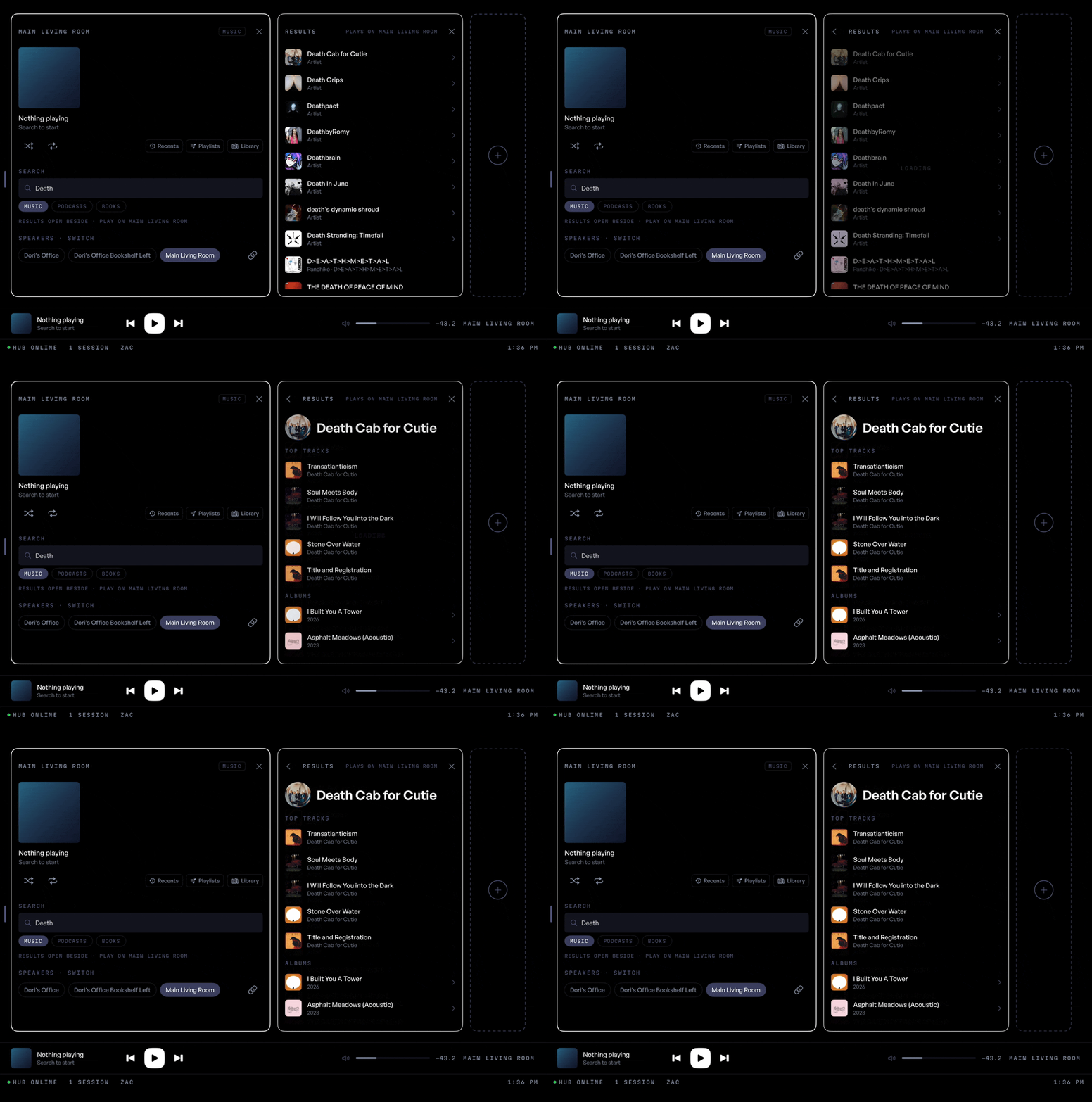
Each music card has search built in, along with your recents, playlists and library. Tap an artist or an album and a second card slides out next to it, so you can dig around without losing your place.
Tap a single song and Consol plays the rest of the album after it, because I got tired of the music stopping after one song.
Getting Spotify onto the Sonos speakers was the hardest part of the whole project. Spotify won't let outside apps play music on Sonos speakers, so Consol goes around it. How it does that is down in the nerd section.
You also can't like a song or add it to a playlist from Consol. I built both. Spotify blocks them for small apps like mine, so the buttons are gone.
Moving between rooms
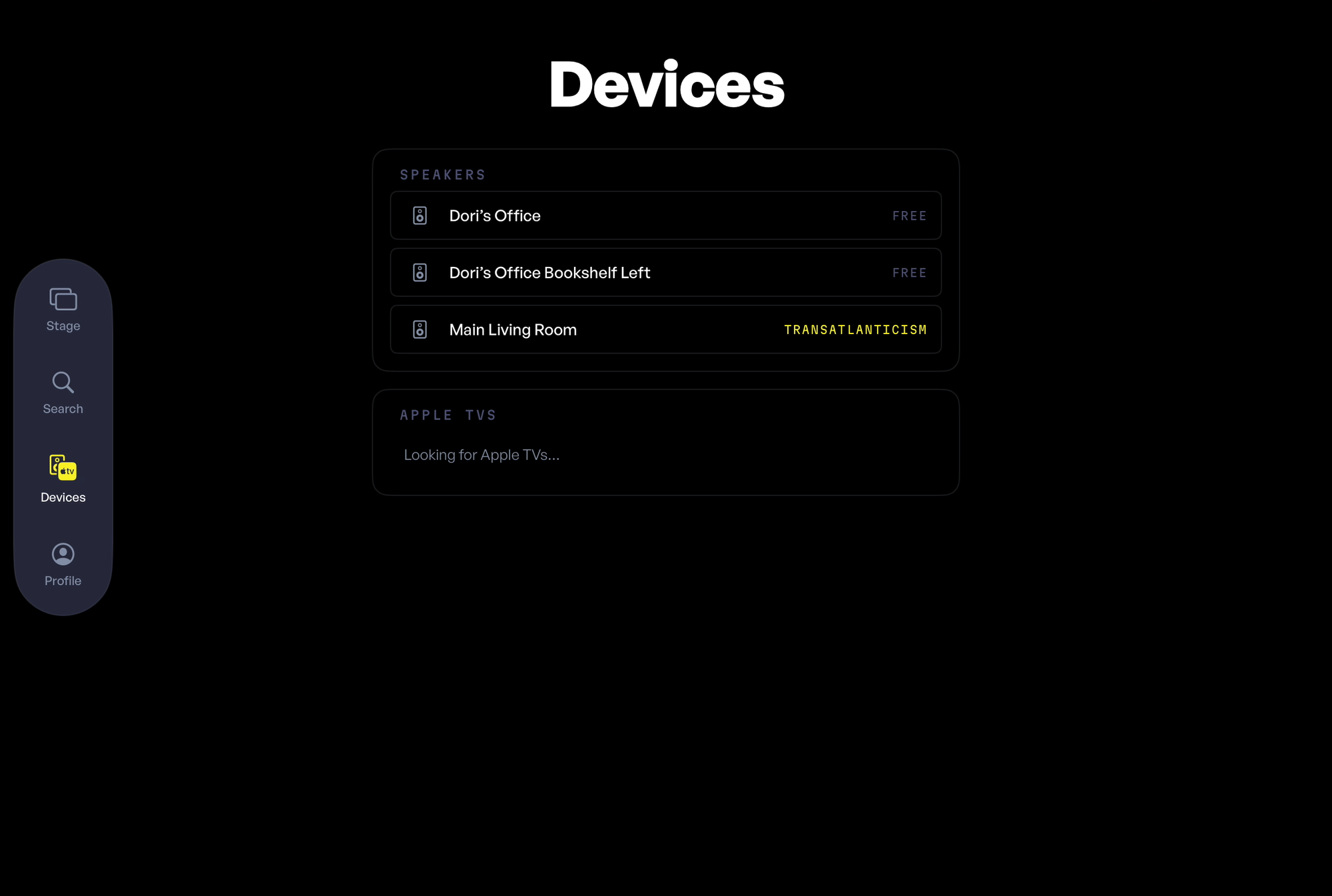
The Sonos app always seemed to think I wanted music in more rooms than I asked for. In Consol, tapping a room moves the music there. If you actually want two rooms, you turn on group mode and pick them. Every command also has to name a room now, because an early version took over my phone in the middle of a podcast.
The Apple TVs
This is where it got a little out of hand. Consol can turn our Apple TVs on and off, open apps, and work as a remote. Each TV gets a card on the stage with the poster for whatever's on and a bar you can drag to skip around.
My favorite part is the keyboard. If you've ever typed a show name with an Apple TV remote one letter at a time, you know it's a punishment. In Consol you type on the iPad and it shows up on the TV.
The Mac app
All of this runs through a small program on a Mac in the house that I call the hub. Setting it up by hand was a pain, so I made a Mac app that does it for you. It walks you through connecting Spotify and adding everyone's PIN, then finds the speakers on its own. After that it turns into a control panel, which is mostly where I go to read the logs when something breaks. And it breaks.
The iPad finds the hub by itself, so nobody has to type in an IP address.
For the nerds
Skip this part if you don't care how it works. I won't be offended.
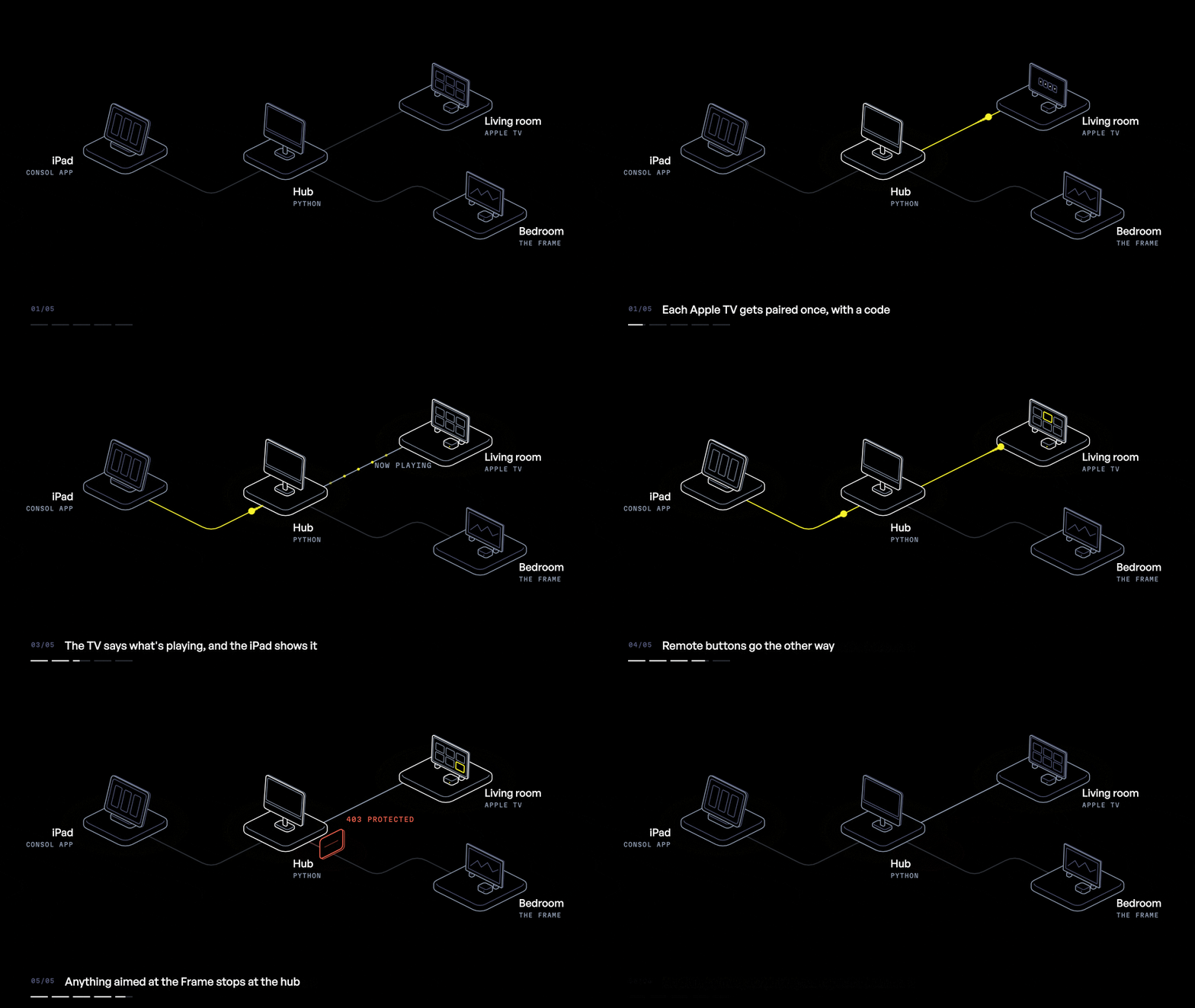
Consol is three pieces. There's the iPad app, written in Swift with SwiftUI. There's the hub, a Python server built with FastAPI that runs on a Mac in the house. And there's the Mac app that installs and manages the hub, also SwiftUI. The iPad app is pretty dumb on purpose. It doesn't hold any passwords and never talks to Spotify. It sends commands to the hub and shows whatever the hub tells it.
Finding the hub
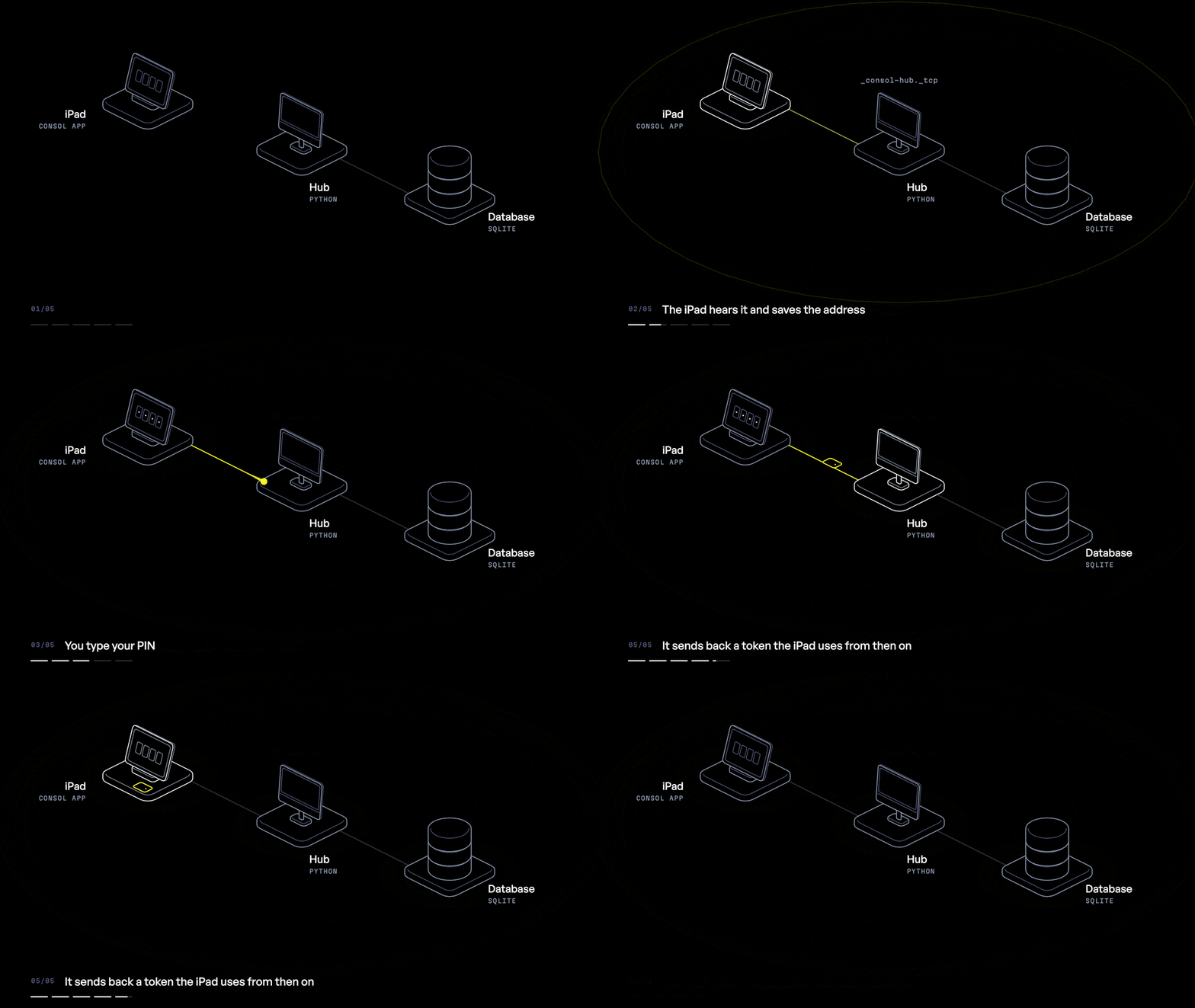
When the hub starts, it announces itself on the home network using Bonjour, the same thing your printer uses to show up on your Mac. The iPad listens for it, finds it and remembers the address. If the hub moves to a different Mac, the iPad finds it again.
Your PIN goes to the hub, which checks it against a hashed copy stored in the SQLite database. If it matches, the hub hands back a token, and the iPad sends that token with every command that changes something. Anyone on the network can ask what's playing, but you need a token to change it.
Playing a song
This is the part I had to redo. Spotify's API will happily search, browse and show your playlists, but ask it to play something on a Sonos speaker and it says no. Every time.
So the hub only uses Spotify for finding music. When you hit play, the hub talks to the speaker directly over the home network using a Python library called SoCo and gives it the Spotify link for the song. The speaker streams the music from Spotify itself. The music never touches the hub or the iPad. Every few seconds the iPad asks the hub what's playing, and the hub asks the speaker.
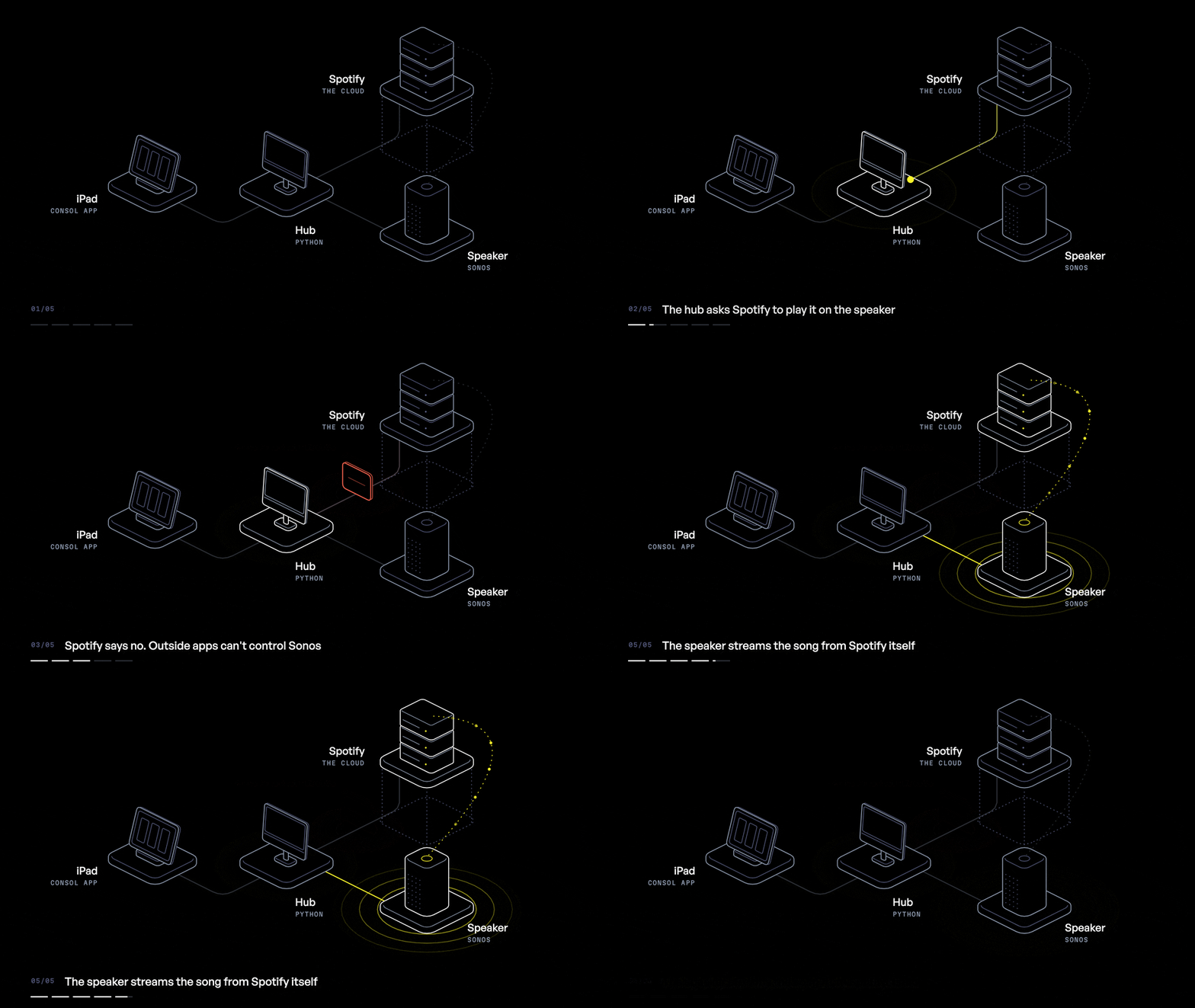
Grouping works the same way. The hub tells the speakers to group up, one of them becomes the leader, and every command after that goes to the leader.
Talking to the Apple TVs
The Apple TVs use a Python library called pyatv. Each TV gets paired once by typing in a code that shows up on the TV screen, and the hub keeps the pairing on file. After that the hub keeps a connection open to each TV, so the TV tells the hub what's playing instead of the hub constantly asking. Power, apps, remote buttons, typing and scrubbing all go over that connection.
Keeping it alive
A second, even smaller program I call the keeper starts the hub whenever the Mac starts up, and macOS keeps the keeper itself running. Something I didn't know going in is that background programs on a Mac aren't allowed to scan the network. So the hub remembers where every speaker lives, and the Mac app does the first search while it's open on screen, where it's allowed to.
If you want to try it in your own house, I've made it available for download from my repo.
So that's Consol. It's built for one house and one very picky person, and it does exactly what I wanted it to. Go ahead and make fun of it. I'll be over here playing music in exactly the rooms I picked.